Geolocation Made Powerful for Formidable Forms
Add maps, directions, distance tools, and smart location fields to elevate your forms instantly.
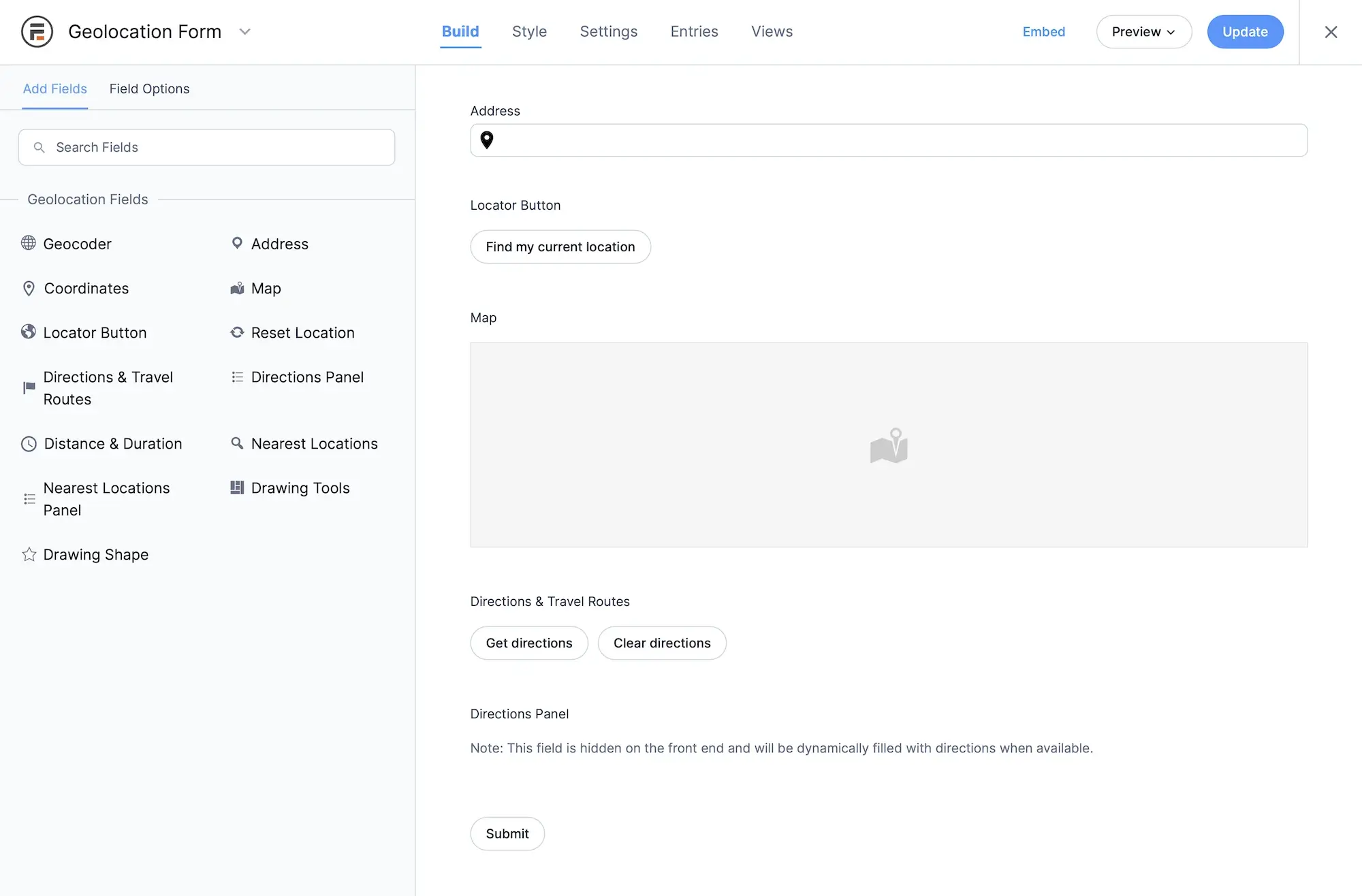
Powerful Geolocation Tools Built for Formidable Forms
Enhance your Formidable Forms with advanced mapping, location automation, and distance-based logic built for real-world workflows.
Seamless Formidable Integration
Formidable’s drag-and-drop builder works perfectly with every geolocation field. Add, configure, and connect fields just like any other Formidable input, no extra setup required.
Advanced Geolocation Fields
Equip your forms with high-accuracy geolocation inputs. Use the Address, Coordinates, Locator Button, Map, Directions, Distance, and Nearest Location fields together for powerful location workflows.
Multi-Location Field Groups
Collect multiple locations within a single form using repeatable geolocation field groups. Ideal for forms that require multiple addresses, stops, waypoints, delivery points, pickup locations, or multi-step routes.
Real-Time Location Updates
All geolocation fields stay automatically synced. Updating the map updates the address, and updating the address updates the coordinates instantly and reliably.
Manual Location Entry
Allow users to type their own address or enter precise latitude/longitude values whenever autocomplete isn’t appropriate, such as rural areas or international locations.
Interactive Map Selection
Enable users to pinpoint their location visually. Click, drag, or tap on the map to position a marker and capture exact coordinates.
Directions & Routing Tools
Generate routes between two or more points. Display route maps, show directions steps, and calculate distance and travel time automatically.
Distance & Travel Time Calculation
Automatically compute both distance and estimated travel time between locations. Ideal for delivery estimates, logistics, service availability, and pricing workflows.
Nearest Locations Field
Automatically find the closest location from a predefined list. Ideal for locating the nearest store, service provider, drop-off point, or branch.
Drawing Tools Field
Allow users to draw shapes directly on the map, including polygons, circles, rectangles. Capture area, boundaries, or user-defined regions effortlessly.
Drawing Shape Field
Display and save predefined shapes on the map. Perfect for boundaries, service zones, or map-based validation.
Interactive Mashup Map
Display all submitted locations on one map. Ideal for directories, listings, customer locations, store finders, and more.
Single Entry Map Display
Show a detailed map for a single form entry using a simple shortcode. Perfect for displaying the exact location of an individual submission.
Mobile-Optimized Geolocation
Every feature works smoothly on mobile: map interactions, location detection, autocomplete, markers, and directions.
Comprehensive Location Output
Output full addresses, coordinates, formatted values, distance calculations, and any geocoded data directly in form entries or views.
Store Location Data Anywhere
Save geolocation results into form fields, hidden inputs, meta fields, or custom storage. Fully compatible with Formidable Views, calculations, and automations.
Location-Based Conditional Logic
Show or hide fields, sections, or messages based on address, distance, coordinates, or user proximity.
Location-Triggered Notifications
Send different emails or notifications based on a user’s location or distance. Ideal for region-specific routing.
Geocoder Field
Efficiently convert full addresses into precise coordinates, and convert coordinates back into structured address data, directly inside Formidable Forms.
Seamless Field Synchronization
Automatically keep Address, Map, and Coordinates fields perfectly aligned for consistent and accurate geolocation data.
Multi-Location Support
Use single or multiple geocoder field groups to capture multiple locations in the same form, from pickup & drop-off points to multi-stop workflows.
Rich Location Details
Retrieve full address components, formatted addresses, lat/lng, and additional geocoded meta with a single lookup.
Dynamic Field Population
Fill text or hidden fields instantly with geocoder results to power calculations, conditional logic, and custom workflows.
Address Field
Provide fast, intuitive address entry using Google-powered autocomplete and instant geolocation processing inside Formidable Forms.
Accurate Address-to-Location Conversion
Turn any entered address into a full set of geolocation data, including coordinates, formatted address, and metadata.
Smart Autocomplete Suggestions
Improve user experience with predictive address suggestions as they type for faster, cleaner, and more accurate submissions.
One-Click Location Detection
Let users fill the field instantly using their current location via the Auto Locator Button.
Automatic Field Output
Push geocoder data into text, hidden, or custom fields to streamline distance calculations, pricing logic, or map rendering.
Coordinates Field
Capture precise latitude and longitude values, either manually or through automated geocoding, for maximum control.
Manual Entry Support
Users can enter exact coordinates for pinpoint accuracy.
Automatic Reverse Geocoding
Convert coordinates into full address details seamlessly.
Map Field Integration
Entering coordinates updates the map marker automatically for an intuitive visual experience.
Address Field Syncing
Coordinates and address fields stay fully connected for real-time accuracy.
Map Field
Allow users to pick locations visually using a fully interactive, customizable map embedded directly in your Formidable form.
Click-or-Drag Marker Placement
Users can fine-tune their location by clicking or dragging a marker to the exact spot.
Single or Multi-Marker Modes
Support one marker for simple forms or multiple markers for multi-point workflows.
Flexible Map Customization
Control map style, zoom, default position, type, marker icons, and more to match your site’s design.
Two-Way Sync with Other Fields
Any changes on the map instantly update addresses and coordinates, ensuring full accuracy.
Directions Field
Generate multi-point routes, show path visuals, calculate distances, and estimate travel time, all inside Formidable Forms.
Built-In Routing Tools
Create and display driving routes between two or more points with ease.
Interactive Route Map
Show a dynamic route map that updates instantly with field changes.
Turn-By-Turn Instructions
Display step-by-step directions for simple and clear navigation.
Distance & Duration Output
Automatically calculate kilometers/miles and travel time. Ideal for estimates and logistics.
Dynamic Pricing Logic
Use distance results to calculate delivery fees, service charges, or mileage-based costs.
Distance & Duration Field
Calculate both travel distance and estimated duration between two locations, directly inside Formidable Forms.
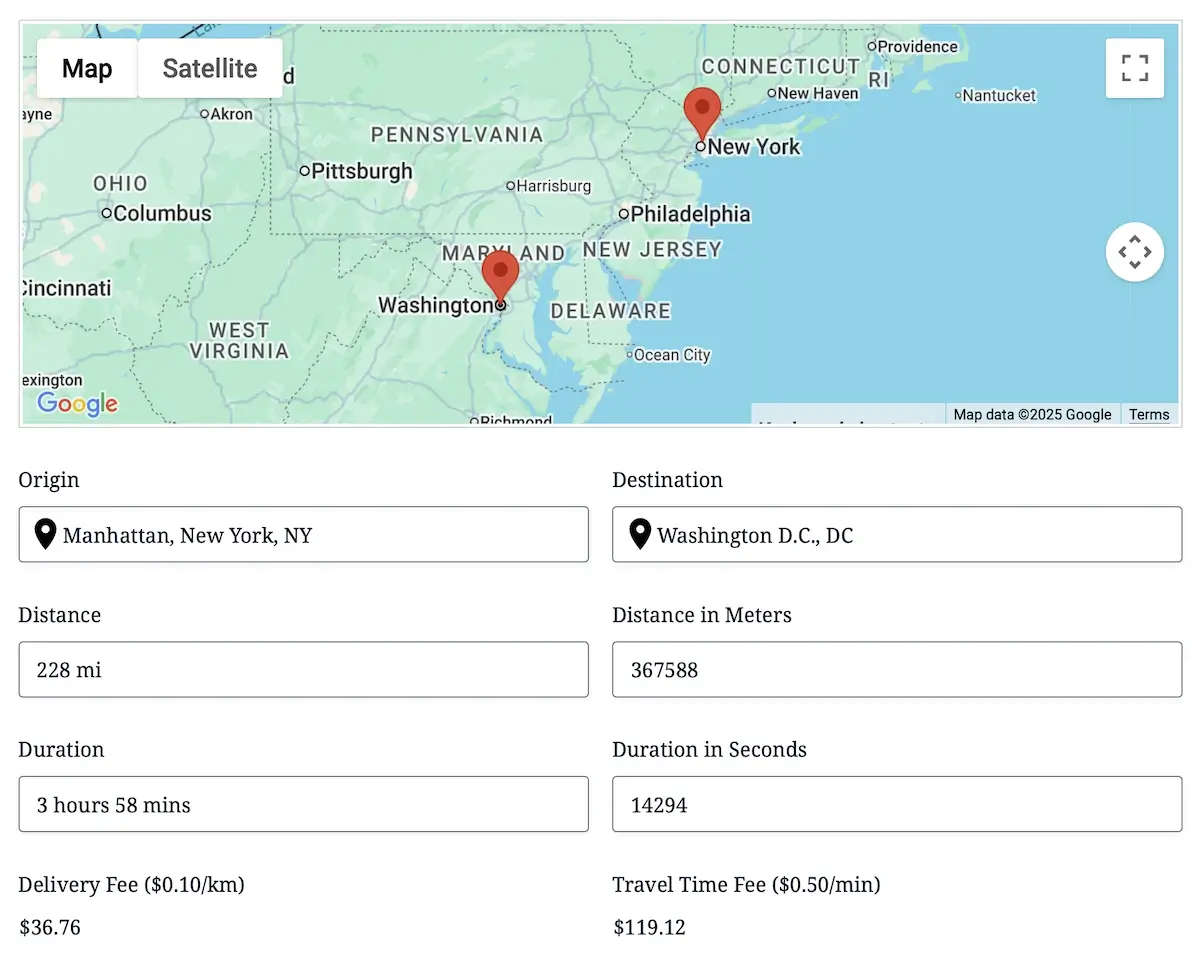
Flexible Distance & Time Modes
Choose between driving distance/duration (via Google Routes API) or straight-line distance for simple radius workflows.
Multiple Input Types Supported
Works with Address, Map, Coordinates, or any combination of geolocation fields to produce accurate distance + time results.
Instant Travel Output
Automatically populate form fields with both distance and estimated travel time. Perfect for quotes, delivery estimates, and scheduling.
Built for Dynamic Pricing & Logic
Use distance or duration inside Formidable calculations or conditional logic to create mileage fees, time-based pricing, eligibility rules, and more.
Nearest Locations Field
Automatically find and display the closest destinations to any location your users enter.
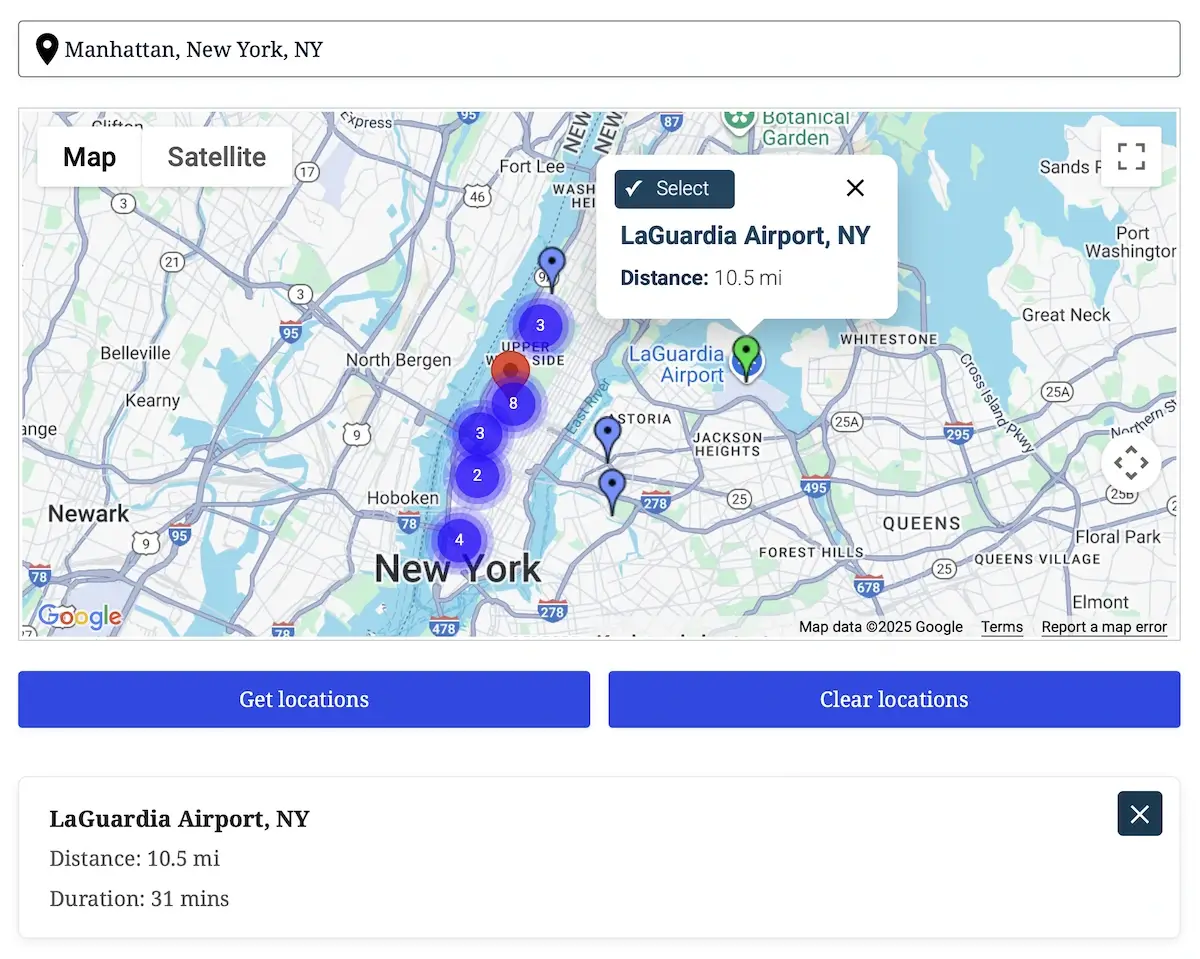
Smart Distance Ranking
Instantly calculate and sort nearby locations using fast Haversine distance, with optional Google Routes API travel-distance mode for highly accurate results.
Flexible Destination Sources
Use a database table, or paste destinations manually in JSON, CSV, or pipe format. The field intelligently parses and caches locations for maximum performance.
Interactive Map Results
Render all nearest results on your connected Map Field, complete with custom markers, clustering, info windows, and one-click or marker-click selection.
Powerful Selection Workflow
Apply the chosen nearest location to other fields automatically. Populate Address or Map fields, fill dynamic hidden inputs, update output panels, and sync all geolocation data with a single action.
Drawing Tools & Shape Fields
Give your users powerful on-map drawing capabilities inside Formidable Forms. Complete with editable shapes, instant measurements, labeling, and export-ready GeoJSON.
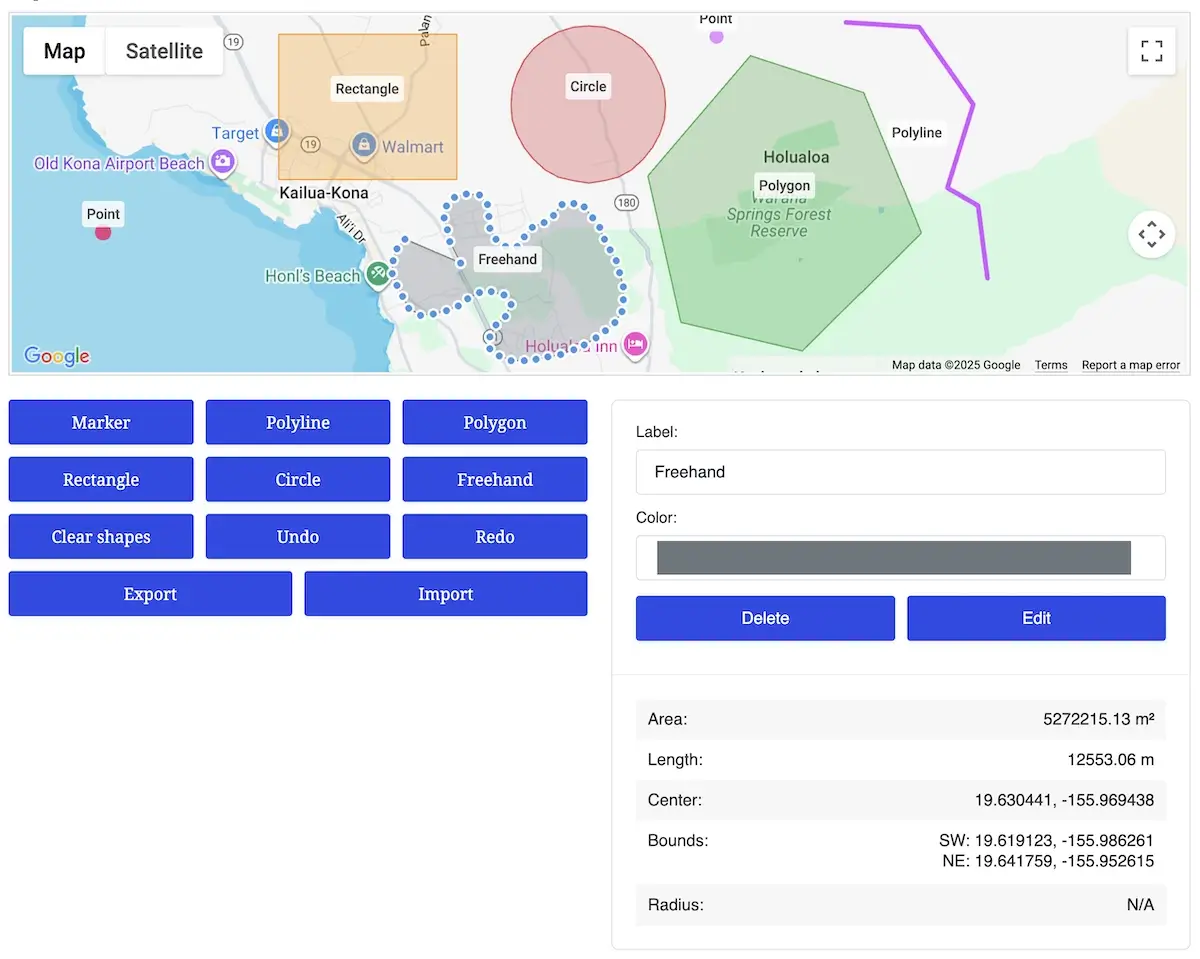
Full Interactive Shape Editing
Let users draw and modify points, lines, polygons, rectangles, circles, and freehand shapes directly on a Google Map. Shapes can be resized, dragged, or redrawn using intuitive editing handles powered by TerraDraw.
Live Metrics & Intelligent Updates
Display real-time measurements while shapes are being drawn or edited, including area, perimeter, length, radius, center point, bounds, and more. Metrics update continuously and remain stored with each shape.
Labels, Colors & Custom Styling
Allow users to assign labels and colors to shapes. Labels automatically snap to geodesic centers with optional custom anchor points, and styles can be controlled globally or shape-by-shape.
Shape Management & Data Control
Support full creation, editing, and deletion workflows with undo/redo history, one-click import/export (GeoJSON), preload support, and dynamic output storage. Multi-shape drawings are preserved for submission and backend processing.
Interactive Mashup Map
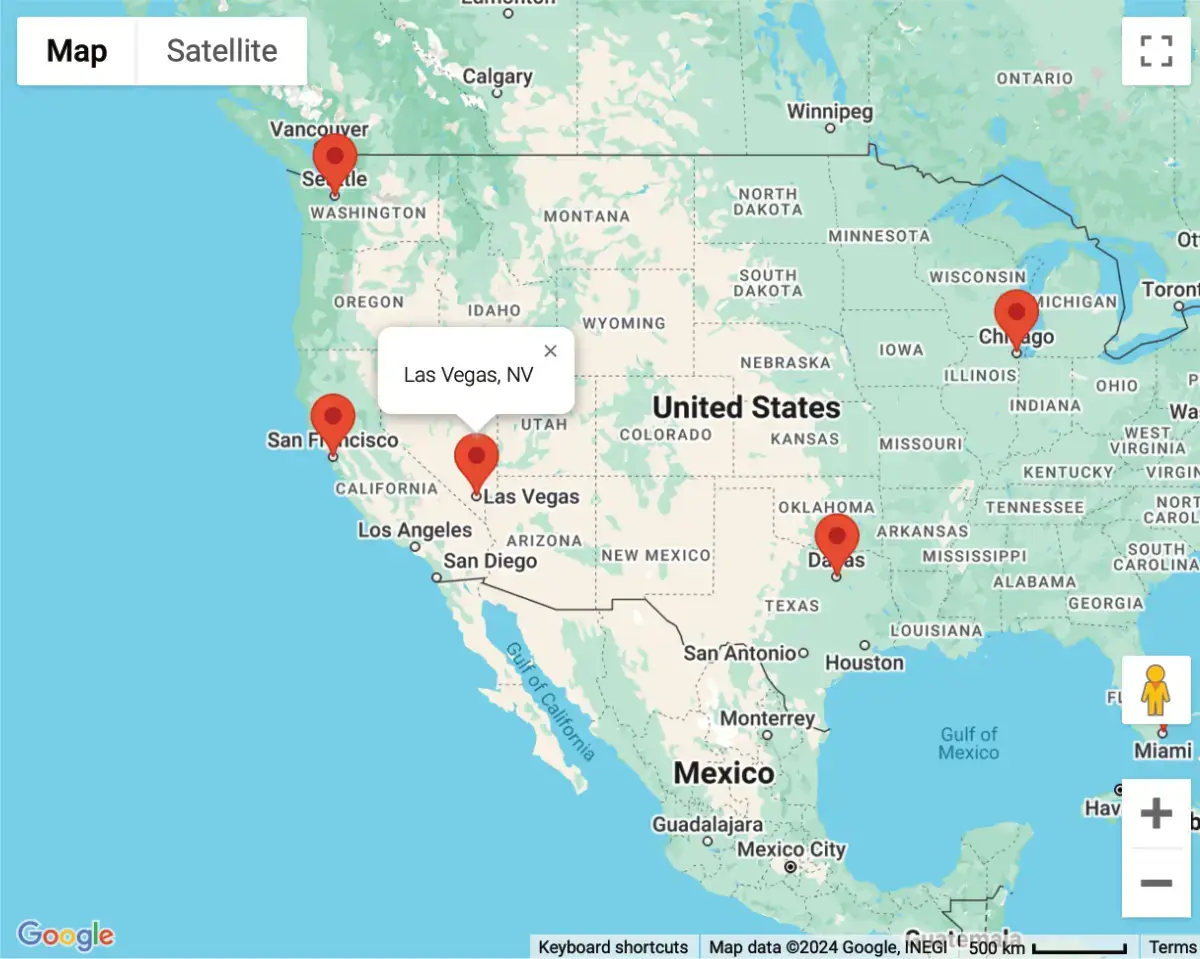
Display multiple locations from form submissions on a single, centralized map with beautiful real-time visualizations.
Dynamic Multi-Location Display
Aggregate all submitted locations and present them together to give users a complete geographic overview at a glance.
Custom Marker Styling
Style your map with custom icons, marker colors, and clustering options to match your site’s design and improve readability.
Real-Time Data Updates
New entries appear automatically as submissions come in, no refreshing or manual syncing required.
Easy Shortcode Embedding
Add mashup maps anywhere on your site using a simple shortcode, fully compatible with pages, posts, or Formidable Views.
Single Entry Map
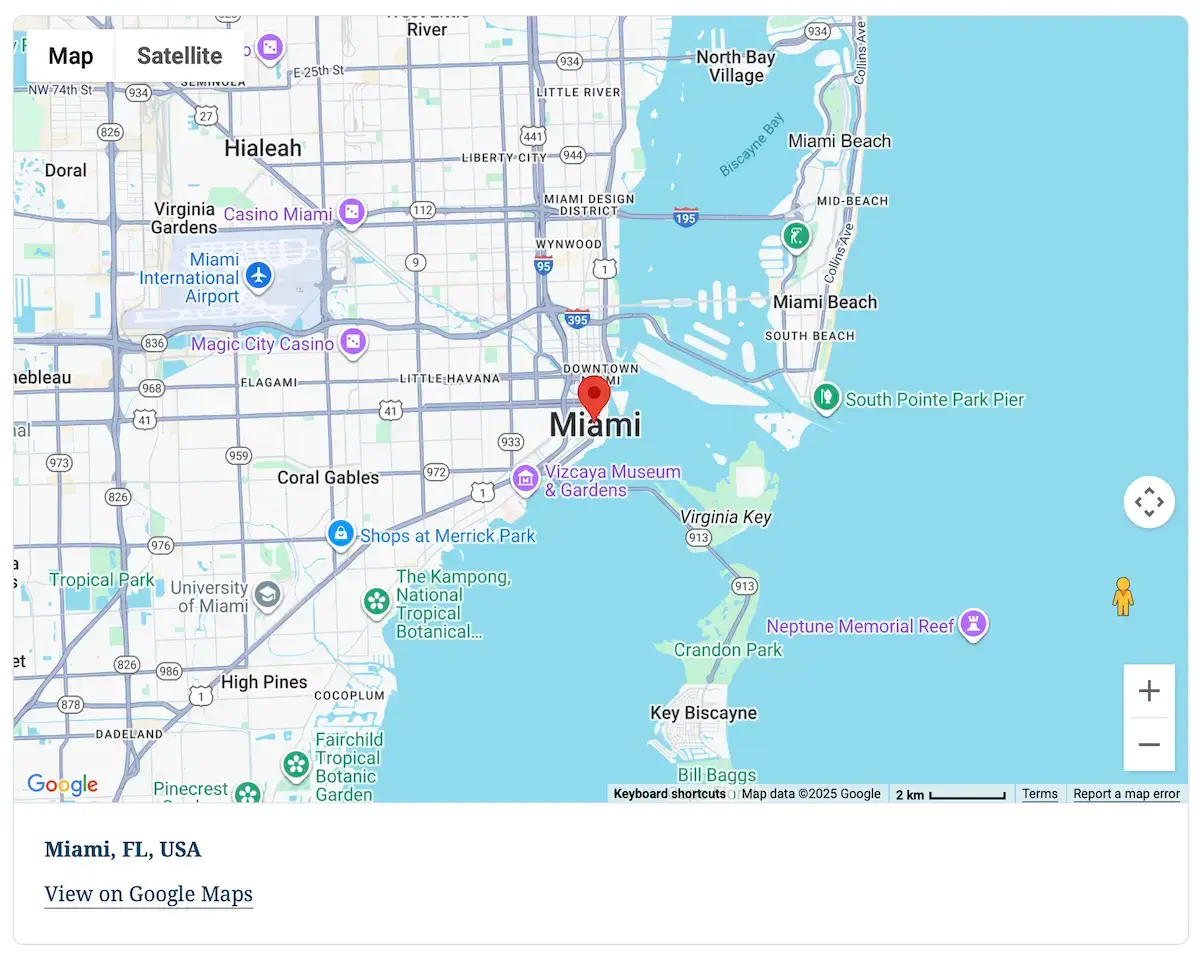
Display the exact location of a single entry in a dedicated map. Ideal for detailed views, user profiles, and directory templates.
Entry-Specific Map Rendering
Show only the selected entry’s location, providing a clean, focused map without extra data or clutter.
Rich Location Output
Include address details, coordinates, distance, directions links, or any geolocation metadata stored with the entry.
Fully Customizable Layout
Control zoom level, map type, size, marker styling, and more to match your layout or branding perfectly.
Perfect for Views & Listings
Works seamlessly with Formidable Views, enabling dynamic single-location maps in listings, directories, profiles, and custom templates.