Installation and License Activation
Introduction
Formidable Geolocation enhances your Formidable Forms with powerful location-based tools, including maps, address autocomplete, coordinates, and more. Before you can start using these features, you’ll need to install the plugin and activate your license key.
This short guide walks you through the installation and activation process so you can get everything up and running quickly.
Note: A valid license key unlocks updates, premium features, and support. The plugin may continue functioning with an inactive or expired license, but access to updates and assistance will be limited.
Installation Steps
The Formidable Geolocation plugin installs just like any other WordPress plugin. Follow these steps to add it to your site:
- Download the plugin ZIP file from your GEO my WP Account under the Downloads tab.
- Log in to your WordPress admin dashboard.
- Go to Plugins → Add New.
- Click Upload Plugin.
- Select the ZIP file you downloaded, then click Install Now.
- When installation finishes, click Activate Plugin.
Activating Your License Key
After installing the plugin, activate your license key to enable updates, support, and premium functionality.
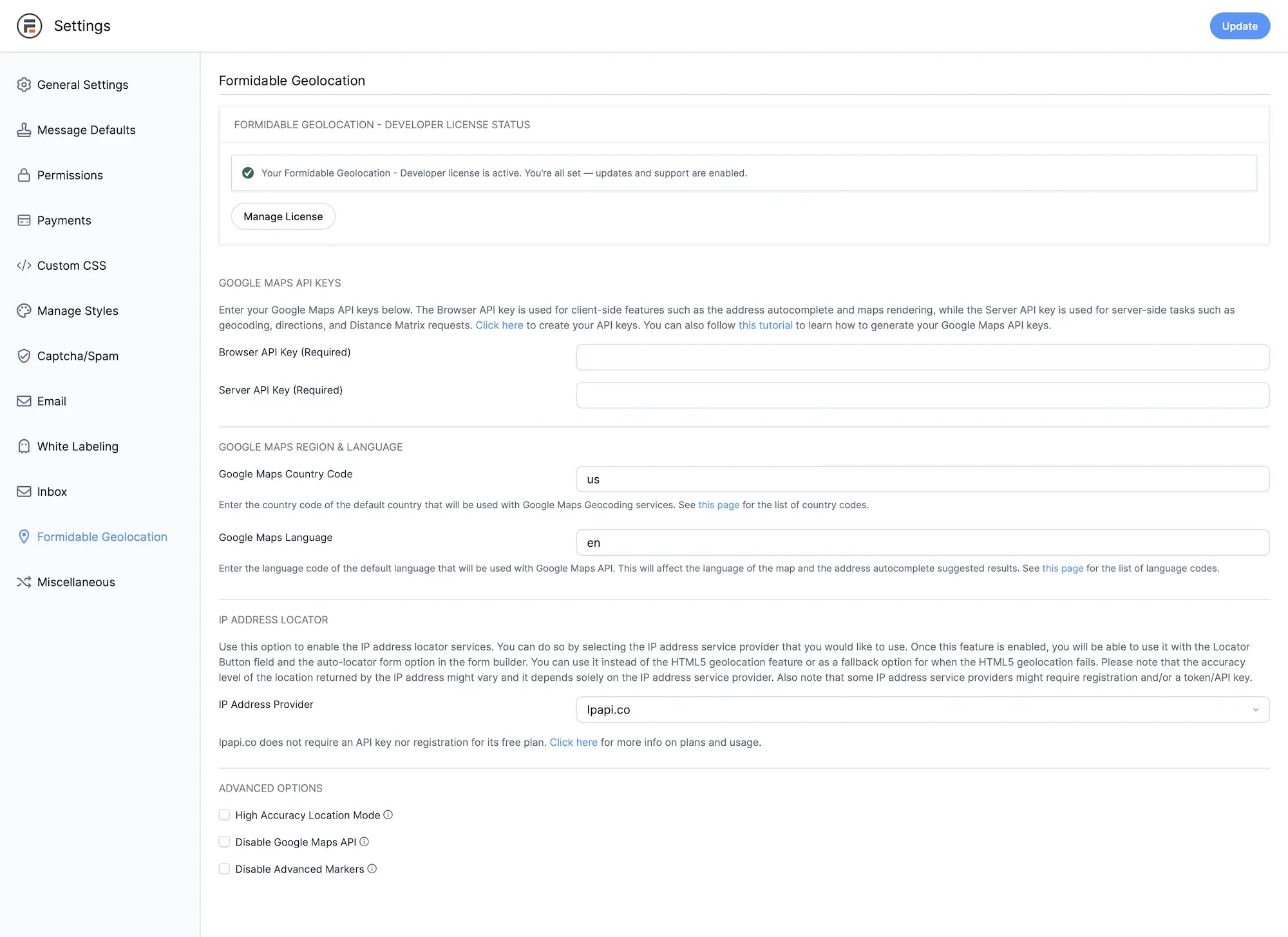
Open the Formidable Forms settings page and switch to the Geolocation tab.
Dashboard → Formidable → Global Settings → Formidable Geolocation
Enter your license key into the License Key field. You can find your key in your purchase receipt email or inside your Account → License Keys.
If you don’t have a license yet, you can purchase one here.
- Click the Verify Key button.
Once your key is validated, you’ll see a success message indicating the plugin is fully activated and ready to use.
Next Steps
Now that Formidable Geolocation is active, continue to the plugin settings page to configure geolocation providers, map settings, and additional options.