Geolocation Fields Overview
Introduction
Formidable Geolocation enhances the Formidable Forms builder with a full suite of geolocation-powered fields. These tools allow you to collect accurate addresses, coordinates, map selections, and directions directly through your forms.
Once the plugin is activated, new geolocation fields appear inside the Formidable form builder. You can drag them into any form just like standard Formidable fields and configure their behavior to match your workflow.
Formidable Geolocation Fields
Formidable Geolocation includes several specialized fields, each designed for a different location-based task:
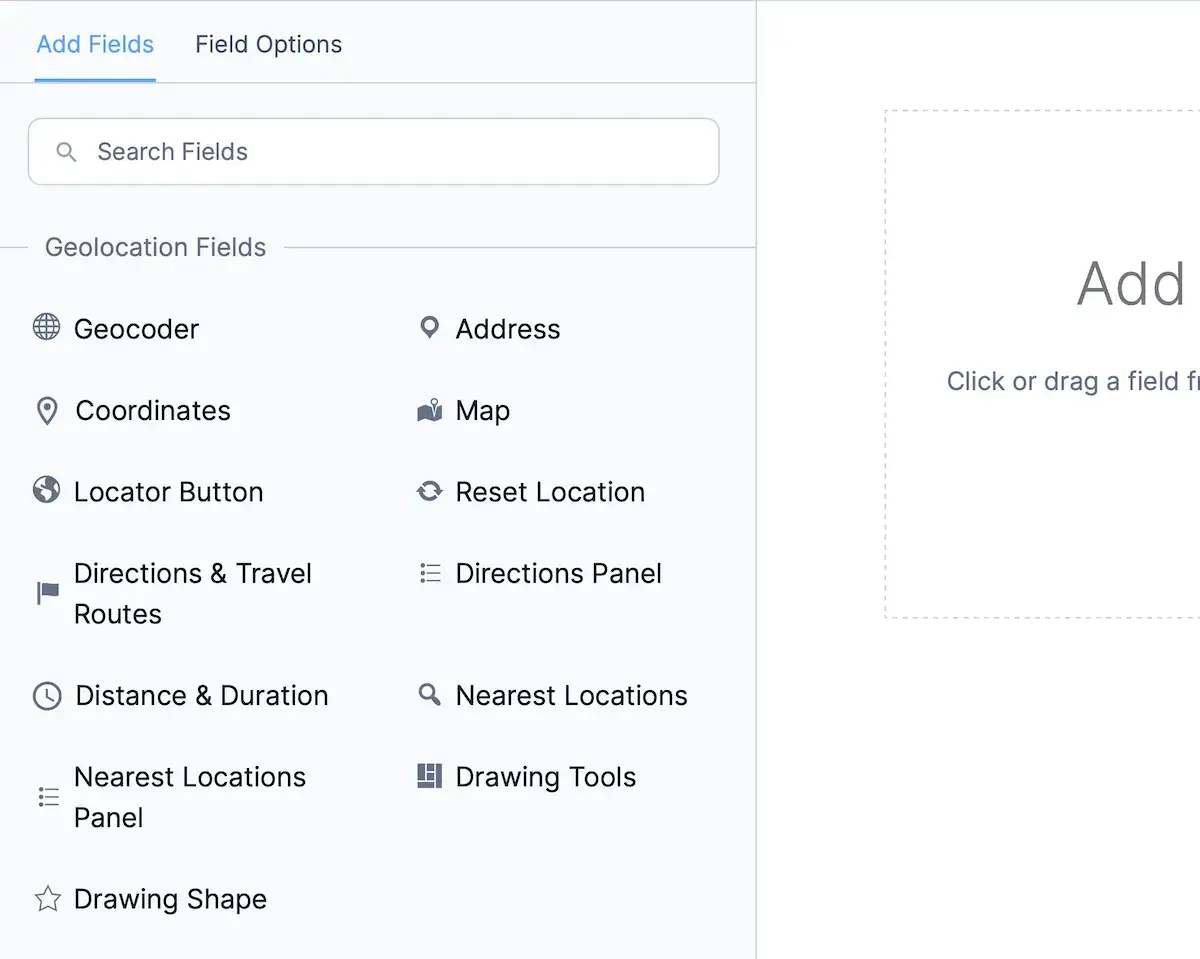
- Geocoder Field:
A hidden processing field used to sync and manage geolocation data across other geolocation fields. Required for nearly all geolocation workflows. - Address Field:
Lets users type an address, while autocomplete, geocoding, and syncing automatically update maps and coordinates. - Coordinates Field:
Allows manual latitude/longitude input. Values can be reverse-geocoded or synced with an address or map field. - Map Field:
Shows an interactive Google Map where users can drag a marker or click the map to select a location. - Locator Button:
Detects the user’s current location using the browser’s HTML5 geolocation API or your selected IP locator provider. - Reset Location Button:
Clears data from all synced geolocation fields and restores them to their default state. - Directions Field:
Calculates route distance, travel time, and step-by-step directions between two or more synced locations. - Directions Panel:
Displays formatted turn-by-turn navigation instructions when paired with the Directions Field.
Synchronizing Geolocation Fields
Most geolocation features rely on synchronization, linking multiple fields so that updates to one field instantly update the others. This synchronization is managed through a Geocoder Field, which serves as the connection point for all geolocation elements in your form.
- Typing an address automatically moves the marker on the map and updates coordinates.
- Dragging the map marker triggers reverse-geocoding to update the Address Field.
- Changing latitude/longitude values in the Coordinates Field updates both the map and the address.
Proper syncing ensures your form always displays accurate, unified location data.
Learn more in the dedicated guide: Synchronizing Geolocation Fields in Formidable Geolocation.
How to Use Geolocation Fields
To get the most out of Formidable Geolocation fields:
- Add fields to your form: Drag any geolocation field into the builder like any other field type.
- Sync fields: Add a Geocoder Field and connect your Address, Map, Coordinates, or Directions fields to it.
- Adjust field settings: Configure autocomplete, markers, default values, units, and more according to your needs.
- Preview and test: Make sure address autocomplete, map interaction, and synchronization behave correctly before publishing.