Reset Location Button Field
Introduction
The Reset Location Button Field in Formidable Geolocation gives users a simple way to clear or restore geolocation values in your form. It works with the Geocoder Field and other geolocation fields to reset coordinates, addresses, and map markers back to their initial state, or to a predefined default location if configured.
This field is especially useful in forms where users may change their location input, make a mistake, or need to revert to the original starting point during a workflow.
Note: This documentation covers only the geolocation-specific settings. Standard Formidable field options (labels, styling, conditional logic, etc.) remain available as usual.
Configuring the Reset Location Button Field
The Reset Location Button Field includes options for choosing which geolocation fields should be reset and whether the button restores a custom default location instead of simply clearing values.
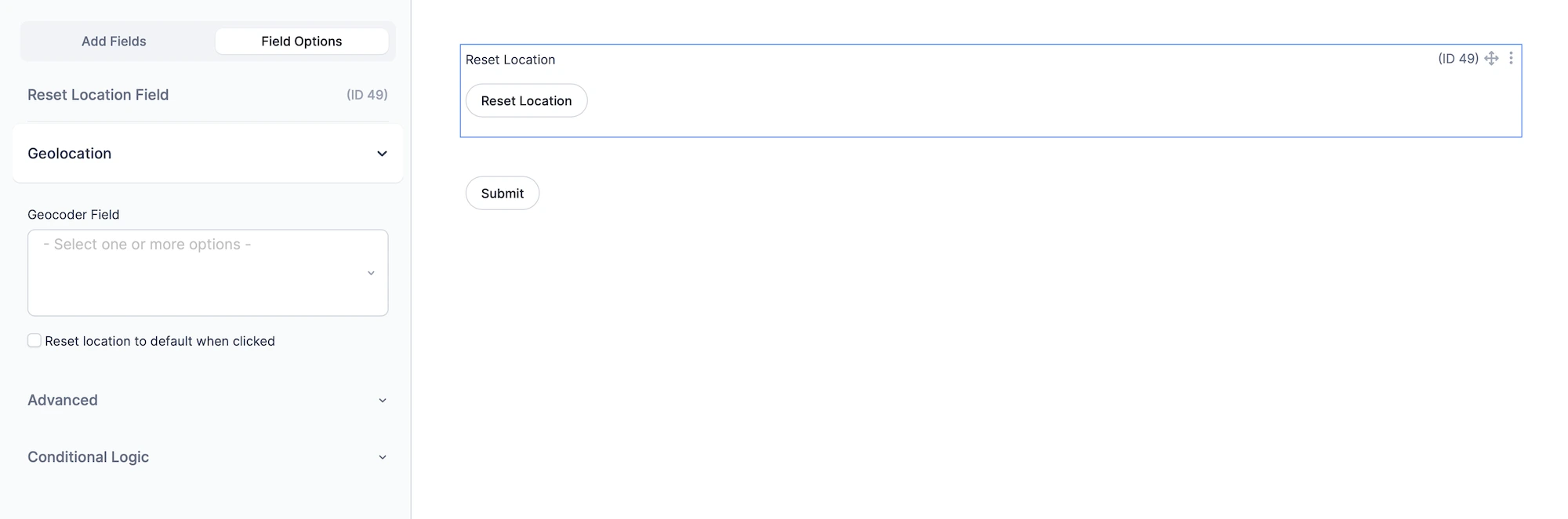
Setting Up and Using the Reset Location Button Field
Follow these steps to configure and use the Reset Location Button Field effectively:
- Add the Reset Location Button Field: Insert it into your form from the Formidable builder.
- Select Geocoder Fields: Choose the geolocation fields that should be cleared or restored.
- Test the Behavior: Preview the form and confirm that the selected fields reset correctly based on your configuration.
Helpful Links
Learn more about connected geolocation options in the Formidable Geolocation Documentation, including how Geocoder Fields, Address Fields, Map Fields, and Locator Buttons work together.